Showing posts with label Computer Scrapbooking. Show all posts

Friday, October 02, 2020

Card Design: Pattie's Creations Challenge #175…Autumn/Fall

http://pattiescreationschallenge.blogspot.ca


Hello there folks! I hope that each of you is continuing to stay healthy in your own little corner of this world as we continue our battle with Covid-19.

I'm popping in today to announce the next challenge over at Pattie's Creations Design Challenge. This time around for Challenge #175, the theme is Autumn/Fall. It is time to make a creation suitable for the fall season.


General Project Info:
  • This card has been created 100% digitally and then layered in a Mock Up (courtesy of Frisk Shop). It will be printed out and assembled prior to dissemination.


FRONT

Digital Image Details: 
  • Pumpkin With Vines: This image can be found in Pattie's Etsy shop by clicking on the name.
  • This image was digitally coloured in Photoshop.
 
Digital Embellishment Details:
 
 
INSIDE

  Digital Sentiment Details: 
  • The sentiment used on the inside was created by Paulette from Create with TLC. For great freebies and inspiration be sure to click HERE to go to Paulette's blog and for awesome sets for purchase, click HERE to go to the home page of the store.


OVERALL 
 
Digital Paper Products:
 
Digital Embellishments:
  • The base behind the sentiment and the scalloped circle were created from a template designed by Marisa Lerin, Pixel Scrapper. It has been paper pieced with a paper from Jeannie Baechtold from her Autumn Leaves Kit also available at {Computer} Scrapbook.com.
  • I have applied shadow layer styles to give certain elements some depth. These styles were designed by Sheila Reid, Pixel Scrapper.


Challenges I am hoping to enter...

You have until November 5th to enter our challenge which should give you lots of time to get a creation done. Remember the theme is Autumn/Fall. I really hope that you will be able to join us. You can enter three times per challenge and of course MUST follow all the challenge requirements that are posted (please click HERE to become familiar with all the rules).

Pop over to the challenge blog and check out what my fabulous teammates have offered up for inspiration. Oh and don't forget…Pattie offers up a new freebie the first Friday of the month and it will remain up for approximately two weeks; so, be sure to pop over and check it out as well!

Well guys, that is it for this one. Have the best October you can!!!
 
Until next time,

Friday, March 06, 2020

Card Design: Pattie's Creations Challenge #168…Anything Goes

http://pattiescreationschallenge.blogspot.ca

Hello there folks! I'm popping in today to announce the next challenge over at Pattie's Creations Design Challenge. This time around for Challenge #168, the theme is Anything Goes. Since the field is wide open, there is no excuse not to enter one of your cards!


General Project Info:
  • This card has been created 100% digitally and then layered in a Mock Up (courtesy of Frisk Shop). I will print it out and assemble it a later date. 


FRONT

Digital Image Details:
  • Mice with Presents is available for sale in Pattie's Etsy shop. You can find it by clicking on the image name. This image has been coloured digitally. Credits include:
    • Fur created by using a texture courtesy of Myshun (via Pixabay) in the background and then adding details using a fur brush courtesy of Obsidian Dawn
    • The bow was altered using a layer style from HG Designs
    • The gift boxes were paper pieced using papers from Poppymoon Designs (details below).


Digital Embellishments:


INSIDE


Digital Image Details: 


Digital Embellishment Details:
  • Swirls are from the These Friends Set also courtesy of Coreen Silke.


OVERALL
Digital Paper Products:
  • The papers used on the front and inside (as well as for paper piecing in the image) are from the Rainbow Birthday Patterns pack by Poppymoon Design (via The Hungry JPEG).


Digital Sentiment Details: 
  • The sentiments used on the front and inside are from From The Heart Stamps Mouse Balloon set. Sadly due to the death of the owner, this company has closed down.


Digital Embellishment Details:
  • I have used basic shapes in Photoshop Elements to create matting in behind the image and accents (front) and sentiment (inside).
  • I have applied shadow layer styles to give certain elements some depth. These styles were designed by Sheila Reid, Pixel Scrapper.


Challenges I am hoping to enter...

You have until April 2nd to enter our challenge which should give you lots of time to get a creation done. Remember the theme is Anything Goes. I really hope that you will be able to join us. You can enter three times per challenge and of course MUST follow all the challenge requirements that are posted (please click HERE to become familiar with all the rules).

Pop over to the challenge blog and check out what my fabulous teammates have offered up for inspiration. Oh and don't forget…Pattie offers up a new freebie the first Friday of the month and it will remain up for approximately two weeks; so, be sure to pop over and check it out as well!

Well guys, that is it for this one. Have a wonderful March and I'll see you again soon.

Until next time,

Friday, May 05, 2017

Card Design: Pattie's Creations Challenge #134...For the Girls--Use a Feminine Image

http://pattiescreationschallenge.blogspot.ca

Hey folks! I'm here today to announce the next challenge over at Pattie's Creations Design Challenge. This time around for Challenge #134, the theme is For the Girls--Use a Feminine Image. With Mother's Day coming up it's the perfect time to create a card with a feminine image. Additionally, there is always a need for birthday cards, thank you cards, friendship or thinking of you cards for the many ladies in your life!

Here is my card, I hope that I haven't forgotten any important details:

General Info:
  • This card has been created 100% digitally and then layered in a Mock Up (courtesy of Frisk Shop). I will print it out and assemble it a later date.

FRONT

Digital Image Details:
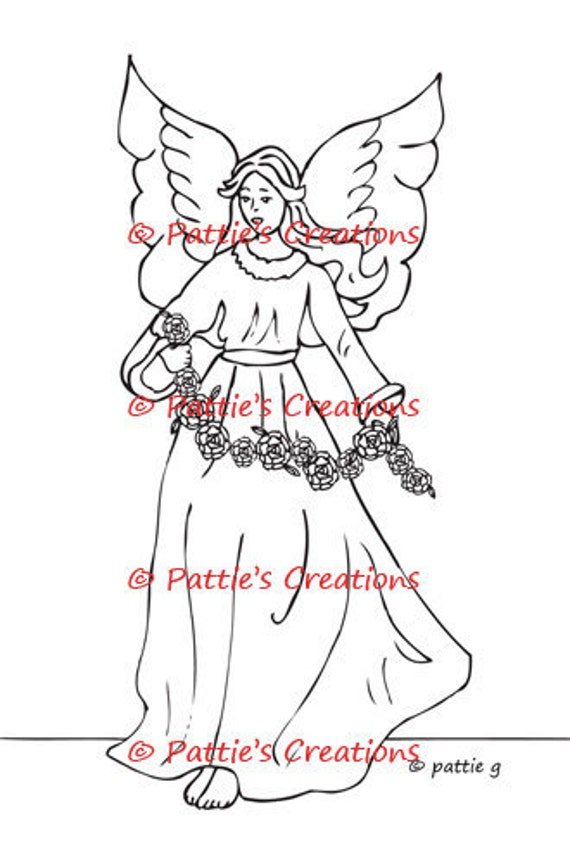
  • Angel With Roses: Such a lovely image. You can find it in Pattie's Etsy shop by clicking on the name or watermark linked below.
  •  This image has been coloured digitally using Rebelle and the background has been paper pieced. Credits include:
    • The 'wallpaper' is paper pieced with a paper from the On Angel's Wings kit designed by Jen Reed, available at {Computer} Scrapbook.com. 
    • The 'floor' is created using a wooden shelf from FW Studio
    Angel With Roses


    INSIDE

    Digital Sentiment Details:
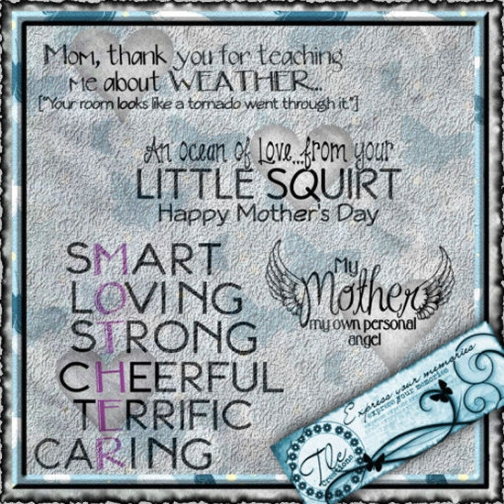
    • The sentiment on the inside was created by Paulette from Create with TLC. You can purchase it in the Mother My Angel Word Set available HERE. For great freebies and inspiration be sure to click HERE to go to Paulette's blog and for awesome sets for purchase, click HERE to go to the home page of the store. This sentiment has been recoloured to suit the purposes of this project.


    OVERALL
    Digital Paper Products:
    • The majority of the papers used are from the Romantic Roses kit (designer unknown). The paper used for the background on the inside is from the On Angel's Wings kit designed by Jen Reed. Both of these kits are available at {Computer} Scrapbook.com.

    Digital Embellishments:
    • I have used basic shapes in Photoshop Elements to create matting in behind the image and the sentiment. 
    • I have applied shadow layer styles to give certain elements some depth. These styles were designed by Sheila Reid, Pixel Scrapper.

    Challenges I am hoping to enter...


    You have until June 1st to enter our challenge which should give you lots of time to get a creation done. Remember the theme is For the Girls and you must use a Feminine Image. I really hope that you will be able to join us. You can enter twice per challenge and of course MUST follow all the challenge requirements that are posted for each challenge (please click HERE to become familiar with all the rules). In addition to all the typical criterion, you MUST USE A DIGITAL OR STAMPED IMAGE to qualify for the drawing (unless stated otherwise). We would absolutely love to see you use a Pattie's Creations (PC) image on your card, but you are allowed to use other images. If you do use a PC image, you will gain an extra entry in the draw and will have a better chance to WIN!  Easy Peasy right!

    Pop over to the challenge blog and check out what my fabulous teammates have offered up for inspiration. Oh and don't forget...Pattie offers up a new freebie the first Friday of the month and it will remain up for approximately two weeks; so, be sure to pop over and check it out as well!

    Well guys, that is it for this one. Hopefully I will see you all very soon. I miss you guys!

    Until next time,

    Wednesday, April 12, 2017

    Card Design: Limited Runs Progressive Challenge ...April

    Limited Runs Badge

    Hey folks! Slowly but surely I'm recovering from that nasty case of the stomach flu that is swirling through my community. Thanks to everyone for being patient if you had been waiting on me for something. The pile is still rather deep but I am climbing out as fast as I am able to. One of those tasks was to get my card done for this month's Progressive Challenge over at Limited Runs!

    The Progressive Challenge is actually on Facebook (FB) in the Limited Runs Group and can be found HERE. You will need to join the group in order to access the information. Now thankfully, Nikki is willing to accept mailed in entries for those people like me who don't have FB accounts. You can find her email addy in the side bar of the store. In fact, if you don't have a blog, that is okay too. Simply send a photo and she'll add you in.

    Check out the fun image that we got to work with this month...
    If you'd like to purchase this image you can find it over in the Limited Runs Store on a special page that will showcase all the Progressive Challenge images. Click HERE to head there now. As you can see from the above preview, there is also a pre-coloured version that you can purchase as well.


    The round of Progressive Challenges will last for three months and there will be a grand prize winner at the end of it all.

    Challenge #1: Ended March 13th and a winner was chosen
    Challenge #2: Started March 15th and will end April 13th. Those that played the month before received the free digi and those who didn't were able to buy into the challenge for only $1.00.
    Challenge # 3: Starts April 15th and will end May 13th

    Then a Grand Prize Winner Will be Picked 
    and a new round with a new freebie begins!

    If you have any questions at all, please contact Nikki!

    Here are my card and details...

    General Info:
    • This card has been created 100% digitally and then layered in a Mock Up (courtesy of Frisk Shop). I will print it out and assemble it a later date.


    FRONT

    Digital Image Details:
    • Elmo Emu: You can find this image in the store. Details above. 
    • This image was coloured digitally:
      • Sky/Clouds & Elmo were coloured using my Rebelle program.
      • Grass was added in in Photoshop Elements.

    Digital Embellishment Details: 
    • Brads are from the Brads & Buttons section of my A Touch of Class kit. The previews for the remaining sections can be seen on my Designs Preview page (link at top of blog in tab section). The bundle or just the paper sets alone can be purchased in the Scribbles Designs store. You can find it HERE.

    Digital Sentiment Details:
    • One I created for this project.


    INSIDE

    Digital Sentiment Details:
    • This sentiment was created by Paulette from Create with TLC. For great freebies and inspiration be sure to click HERE to go to Paulette's blog and for awesome sets for purchase, click HERE to go to the home page of the store.

    OVERALL

    Digital Paper Products:
    • The paper used for the background on the front and inside, along with the paper used as an accent piece on the front are from the Garden Path kit designed by Jeannie Baechtold and is available at ComputerScrapbook.

    Digital Embellishments:
    • I have used basic shapes in Photoshop Elements to create matting in behind the image and the sentiment. 
    • I have applied shadow layer styles to give certain elements some depth. These styles were designed by Sheila Reid, Pixel Scrapper.

    Challenges I am entering...

    Challenges I am hoping to enter..

    Be sure to pop over to the Facebook Group to find out all the details you need or visit the details page over at the store by clicking HERE.

    Take care my friends and I hope to see you all again soon!

    Until next time,

    Friday, December 02, 2016

    Card Design: Pattie's Creations Challenge #129...Anything Goes Christmas or Winter

    http://pattiescreationschallenge.blogspot.ca

    Hello to you all! I'm here today to announce the next challenge over at Pattie's Creations Design Challenge. This time around for Challenge #129, the theme is Anything Goes Christmas or Winter. Can you believe that we've just one month left in this year?!  Another year that has seemingly zipped by. As we get ready for the holidays, now is the perfect time to get any last minute Christmas cards or other winter type cards created.

    Here is my card, I hope that I haven't forgotten any important details:

    General Info:
    • This card has been created 100% digitally and then layered in a Mock Up (courtesy of Frisk Shop). I will print it out and assemble it a later date.

    FRONT

    Digital Image Details:
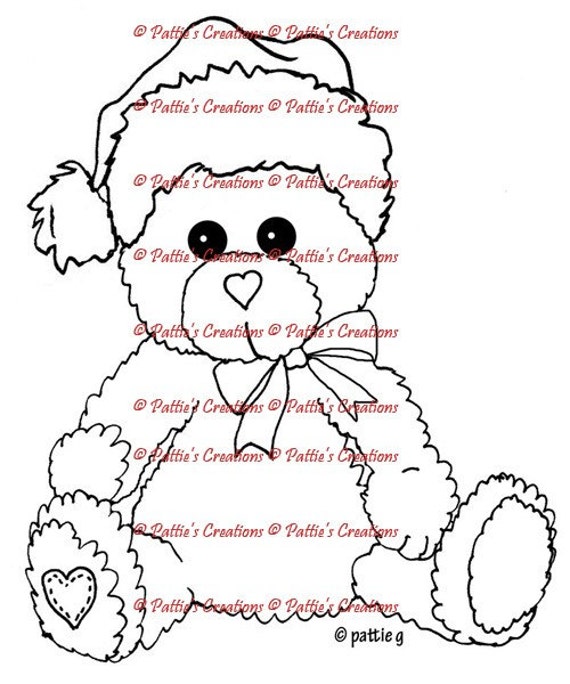
    • Pattieboops Holiday Bear: A rather adorable image perfect for my hubby's Christmas card. You can find it in Pattie's Etsy shop by clicking on the image name or watermark linked below.
    Pattieboops Holiday Bear
      • Coloured digitally. Credits include:
        • Bear is paper pieced with a fur texture from My Free Textures
        • Wooden shelf background is from FW Studio
        • I have used four different layer styles (hat, ribbon) from HG Designs
        • The background in behind the image is a digi paper from the Christmas Confections kit created by Correen Silke available at {Computer}Scrapbook.com. It has been recoloured to suit the purposes of this card.
        • The little heart patch on the paw is from Point and Poem. It was obtained in a limited time bundle from Design Cuts.

    Digital Embellishments:
    • The beads are from the Christmas Confections kit mentioned above and the brads are from the Tis the Season kit created by Jeanine Baechtold, also available at {Computer}Scrapbook.com.

    Digital Sentiment Details:
    • The sentiment was created by Kristy from Imagine That! Digistamp. It is included in the Beary Merry Christmas kit and you can find it in the store by clicking HERE.
     

    INSIDE
    Digital Image Details:
    • Christmas Lights: This string of lights was the perfect set up for the sentiment. It can also be found in Pattie's Etsy shop by clicking on the name or watermark linked below. 
    • The image was coloured digitally.
    Christmas Lights


    Digital Sentiment Details:
    • The sentiment was created by Paulette from Create with TLC. For great freebies and inspiration be sure to click HERE to go to Paulette's blog and for awesome sets for purchase, click HERE to go to the home page of the store.

    OVERALL
    Digital Paper Products:
    • I have used one of my digi papers for the background on the front and inside from the kit called "The 12 Days of Christmas 2014".


    Digital Embellishments:
    • I have used basic shapes in Photoshop Elements to create matting in behind the image and the sentiment. 
    • I have applied shadow layer styles to give certain elements some depth. These styles were designed by Sheila Reid, Pixel Scrapper.

    Challenges I am hoping to enter..

    You have until January 5th to enter our challenge which should give you lots of time to get a creation done. Remember the theme is Anything Goes Christmas or Winter. I really hope that you will be able to join us. Don't forget that along with all the typical rules that apply to the majority of challenges out there (please click HERE to become familiar with all the rules), you MUST USE A DIGITAL OR STAMPED IMAGE to qualify for the drawing (unless stated otherwise). We would absolutely love to see you use a Pattie's Creations (PC) image on your card, but you are allowed to use other images. If you do use a PC image, you will gain an extra entry in the draw and will have a better chance to WIN! You can enter twice per challenge and of course MUST follow all the challenge requirements that are posted for each challenge. Easy Peasy right!

    Pop over to the challenge blog and check out what my fabulous teammates have offered up for inspiration. Oh and don't forget...Pattie offers up a new freebie the first Friday of the month and it will remain up for approximately two weeks; so, be sure to pop over and check it out as well!

    Until next time,

    Monday, August 15, 2016

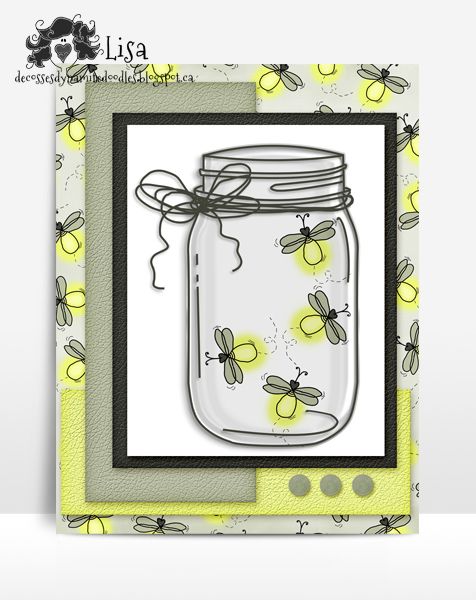
    Card Design: Scribbles Designs Challenge #44...Mason Jars


    Hello and a very happy Monday to you all. Today marks the start of the newest challenge over at the Scribbles Designs Challenge Blog. 

    This time around, for Challenge #44, the theme is Mason Jars! Whether you are wishing someone a happy birthday, saying thanking you or simply saying hello, mason jar cards or creations featuring mason jar images, seem to be very popular. Even brides and grooms are getting in on the act creating mason jar 'save the date' notices and even using them for wedding invitations. This challenge we want to see a creation featuring a mason jar of some sort. Whether you leave the jar image empty or fill it up with goodies, it is completely up to you. Mason jars are great for any reason or for any season so there are a variety of ways you can go! We look forward to seeing your interpretation of the theme!

    In order to participate in our challenges you DO NOT NEED TO USE A SCRIBBLES DESIGNS IMAGE on your project but you must follow the monthly theme and the other rules that have been established for our particular challenge blog. You can find them, along with the prize information, listed in the right hand sidebar of the challenge blog. This challenge will end at 9pm PST on September 14th.
     
    You can purchase your Scribbles Designs images HERE and there is a free image over on the challenge blog as well to help get you started. Also, be sure to check out the special Freebie Friday posts as it is another great way to build your Scribbles Designs collection.
     
    To help inspire you, I have created a card for my wonderful hubby!


    Here are my card and all the details..


    General Information: 
    • This card has been created 100% digitally and then layered in a Mock Up (courtesy of Frisk Shop).  I will print it out and assemble it at a later date.

    FRONT
    Digital Image Details: 

    Digital Embellishments: 
    • I have used a brad, changing the cololur slightly, from the Daddy Day set created by Jeannie Baechtold, ComputerScrapbooking.com.

    INSIDE
    Digital Sentiment Details:
    • One I created.

    OVERALL
    Digital Embellishments:
     
    • The shapes used for accent pieces on the front as well as matting in behind the image and sentiment are basic shapes created in Photoshop Elements. I have altered them with a layer style from HG Designs to give the shapes a bit of texture. 
    • The shadows to give each element some depth were created with a layer style, are from Sheila Reid, Pixel Scrapper. 

    Digital Paper Products: 
    • I used a free paper I made under the Scribble Doodle Designs label. You can find the Firefly digi paper HERE. 

    Challenges I am hoping to enter...
    http://scribblesdesignschallenge.blogspot.ca/
    So put on those thinking caps and design a project that fits our theme. If you need some images to help you out you can check out all wonderful ones that are in the Scribbles store. You have an entire month to enter at the Scribbles Designs Challenge Blog, so I hope to see you there. If you have some time I invite you to go and check out the wonderful inspiration offered up from my colleagues on the DT. We always look forward to seeing what you come up with for each month's theme!

     Until next time,

    Sunday, July 17, 2016

    Blog Hop: Vintage Vacation with TLC Creations


    Hello everyone!  It is officially summertime in North America and other parts of the northern hemisphere.  As such, it is often a time of vacation and travelling for many.  Now, if you're stuck at home this summer then this bloghop is for you--travelling without all the hassle and you get some great freebies to add to your TLC collection as well!

    Many of us on the Create with TLC Design Team will be hosting a spot during the blog hop. All of us will share a creation that we have made using at least one if not more of Paulette's elements and just YOUR luck, the image that we all use will be available for free download on each blog hop stop along the way!

    You should have arrived here from the talented Karen's blog.  If you are just starting, you can find a full list of all the hop stops at the bottom of this post.

    For my card, I got to use the Bon Voyage Waving Goodbye image you see below; so, be sure to head on over to Paulette's BLOG and leave her some love if you grab it!

    To save image, left click to bring it up in the lightbox in its full size and then right click and scroll down to 'save image as'.

    Time to check out the card I created...

    General Information:

    • I tried a new technique for this card--the spotlight technique.  I looked up a couple different tutorials to figure out what to do but it was pretty straightforward.  
    • Keeping with the vintage theme, I decided to give the whole card an older feel.
    • This card has been created 100% digitally and then layered in a Mock Up (courtesy of Frisk Shop).


    FRONT
    Digital Image Details: 
    • Bon Voyage Waving Goodbye:  As mentioned previously, the image used on the front is the freebie that Paulette is allowing me to offer up on my blog.  You can grab it above. 

    Digital Embellishments: 
    • The circle frame was created from a template picked up from Marisa Lerin, Pixel Scrapper. 


    INSIDE
    Digital Sentiment Details: 
    • One I created.


    OVERALL 
    Digital Embellishments: 
    • The shadows to give each element some depth were created with a layer style, from Sheila Reid, also with Pixel Scrapper.
    • The pearls and heart pendant embellies on the front along with the embellies on the inside are from the 20's Chic kit courtesy of Jeanine Baechtold a designer with {Computer}Scrapbook.com, available as a freebie.
     
    Digital Paper Products:
     
    • The paper I used is also from the 20's Chic kit mentioned above.

    Challenges I am hoping to enter...
    ***Please note that if the word verification appears, ignore it and simply click the 'publish' button**

    Next stop on the route is Lisa Lynn. Click HERE to head there now! 


    If you missed any of the stops along the way, here is the complete list.  You are definitely going to want to check out what all my fellow team members have in store for you! 

    Deanne     

    Desire     

    Hetty       

    Karen       

    Lisa D. <-------- That's ME     

    Lisa Lynn   

    Lynne       

    Rhonda Sue  


    Edwina 

    Faith  

    Jen

    Patti

    Shelly
     

    Be sure to say thanks to Paulette over at:
    TlcCreations  

    http://createwithtlc-createwithtlc.blogspot.ca/

    Well that is it for this one.  I hope to see you again soon!

    Until next time,