Friday, July 01, 2016

Card Design: Scribbles Designs Challenge #42 Midway Point...Sip & Savour


Hello and happy July 1st! If this is the first time you've visited me today, then hello and Happy Canada Day to all my fellow Canadians.  For those of you who've been reading along since my first post at midnight, welcome back!  I've managed to get eight of the eleven posts (over five different blogs) done so far and by the time this one is finished I'll have nine of them completed.  Then, just two more to go if humanely possible before midnight!  Man, today is definitely a record! I've warned my hubby that he may just be scraping me off the floor by the time today is finished! ;)


Right now it is time for the midway for the latest Scribbles Designs Challenge to get started.  I know I haven't been posting for the challenges during the last few months as I've been busy with other obligations over at SD, but I figured I wasn't busy enough today, so I thought I create a card for the midway as well. <<<note heavy sarcasm>>> 

There are two whole weeks left for you to come on over and enter.   In case you've missed it, the theme this time around for Challenge #42, is Sip & Savour!  Will it be coffee or tea?  Iced or regular?  Did you want that in decaf or high octane?  Whether one sips it or gulps it, the phenomenon is here to stay!  As such you will find many different varieties of coffee and tea as staples in most households all over the world.  Personally I don't see what the fuss is all about.  I've never been a coffee or tea drinker myself but I know that there are people around me that can't live without the stuff!  Given the popularity of these beverages, we thought that this challenge we would like to see projects designed around either coffee or tea.   Maybe someone you know needs some encouragement to 'perk up' or maybe it is time to tell someone special just how 'tea-riffic' they are!  Whether you choose coffee, tea or a little blend of both, we can't wait to see what you brew up!

Entering is super simple!  You do not need to use a Scribbles Designs image; however, if you do, your name gets entered into the draw twice.  You can purchase your Scribbles Designs images HERE or you can also find one for a limited time on the challenge blog HEREAlso, be sure to check out our special Freebie Friday posts as it is another great way to build your Scribbles Designs collection.  You can find the rest of the rules and information regarding winners in the sidebar on the challenge blog.  You have until 9pm PST on July 14th to come over and play with us.

Here is my card and all the details... 
 
General Information:

  • This card has been created 100% digitally and then layered in a Mock Up (courtesy of Frisk Shop).  I will print it out and assemble it a later date.

FRONT

Digital Image Details: 
  • #918 Tea CupClick on the name or watermark below to head to its location in the store.
  • This image was coloured digitally.  As you can see, I also made it into a paper which will hopefully be offered up one day in the future as a special 'Sip and Savour' set through Scribble Doodle Designs.
http://buyscribblesdesigns.blogspot.ca/2013/04/918-tea-cup-250.html

Digital Sentiment Details: 
  • You know me, I'm always up for a good pun and this sentiment was perfect for this card.  It was created by Paulette from Create with TLC.  For great freebies and inspiration be sure to click HERE to go to Paulette's blog and for more awesome sets for purchase, click HERE to go to the home page of the store.

Digital Embellishments: 
  • The brads are from a new kit of mine coming out next week.  You've seen a few goodies from the set in posts that have come out in the last two days but you'll need to wait to a special blog hop next week to see the rest!

INSIDE

Digital Sentiment Details:
  • This sentiment was also created by Paulette from Create with TLC. 

OVERALL 
Digital Embellishments: 
  • The shapes used for matting in behind the image and sentiment are basic shapes created in Photoshop Elements.
  • The shadows to give each element some depth were created with a layer style, are from Sheila Reid, also with Pixel Scrapper. 

Digital Paper Products: 
  • As mentioned above this paper is one I created for Scribble Doodle Designs. Hopefully it will be offered up one day in the near future as a part of a set called 'Sip and Savour'.  Two papers for the set are done, I just need to add four more!

Challenges I am hoping to enter...
***Please note that if the word verification appears, ignore it and simply click the 'publish' button**  

http://scribblesdesignschallenge.blogspot.ca/
So put on those thinking caps and design a project that fits our theme. If you need some images to help you out you can check out all wonderful ones that are in the Scribbles store. You have two whole weeks left to enter at the Scribbles Designs Challenge Blog, so I hope to see you there. If you have some time I invite you to go and check out the wonderful inspiration offered up from my colleagues on the DT. We always look forward to seeing what you come up with for each month's theme!

So, stay tuned. I'm running out of day but I'm still hoping to be back with at least one of two planned posts--sharing a freebie in honour of Canada Day.

Until then,

Card Design: Scribbles Designs Freebie Friday Inspiration...July 1st--Life Preserver


Howdy folks and HAPPY CANADA DAY to all of my Canadian readers! It is Friday and time for some Freebie Friday inspiration over at the Scribbles Designs Challenge BlogThis time around we're offering up a really awesome Life Preserver (#F117).  You can find the freebie over in my Freebie Friday post by clicking HERE or this image can also be found in the store HERE.

General Info:

  • This card has been created 100% digitally and then layered in a Mock Up (courtesy of Frisk Shop).  I will print it out and assemble it a later date.

FRONT

Digital Image Details:
  • #F117 Life Preserver I love any image I get to have pun withIf you click on the name you can find this image in the store.  You can also click HERE to find it in my Freebie Friday post.
  • This image was coloured digitally.

Digital Sentiment Details: 
  • The sentiment was created by Paulette from Create with TLC.  For great freebies and inspiration be sure to click HERE to go to Paulette's blog and for awesome sets for purchase, click HERE to go to the home page of the store.

INSIDE

Digital Image Details:

Digital Sentiment Details: 
  • One I created.

OVERALL 
Digital Embellishments: 
  • The shape used for matting are basic shapes created in Photoshop Elements.
  • The shadows to give certain elements some depth were created with a layer style, from Sheila Reid, Pixel Scrapper.  

Challenges I am hoping to enter... 

http://scribblesdesignschallenge.blogspot.ca/
So, don't forget to mark you calendars every Friday to head on over to the Scribbles Designs Challenge Blog to grab the latest freebie up for grabs.  Don't forget, you can find the Life Preserver from July 1st's post HEREIt is a great way to add to your SD digi stamp collection.  Remember, when you use an SD image on a project that you enter into our monthly challenges, you get extra entries!  That is a great incentive to use one of Sandy's images.  Why not this one? 

Well that is it for this post.  I'll see you all later again today with a special Happy Canada Day freebie.

Until next time,


Card Design: Pattie's Creations Challenge #124...Make a Splash...WATER must be part of your IMAGE

http://pattiescreationschallenge.blogspot.ca

Hey folks! To all of my fellow countrymen and woman, HAPPY CANADA DAY!  It is an extremely packed day for me today.  Overall, I have a total of ELEVEN posts that I am supposed to somehow get done, to be going out over five blogs that I am involved with.  So much for it being a holiday!!!  Eegads, I'm honestly not sure that I'm going to survive the day intact or sane seeing that as of 6:00 p.m. yesterday, I only had one of these posts ready.  If I do manage to pull it all off you should be getting three freebies sometime today--two from me and one I'll be showcasing on another blog.  Wish me luck everyone, I am going to need it--BADLY!!!
 
First up, I'm here to announce the next challenge over at Pattie's Creations Design Challenge. This time around for Challenge #124, the theme is Make a Splash! It is summertime here in the northern hemisphere and as such the perfect time for splashing around.  Please note that WATER must be part of the actual digital IMAGE that you have used.  Now of course, you don't have to go the beach route.  As long as there is water in the image, you'll be fine. 

Here is my card, I hope that I haven't forgotten any important details:


General Info: 
  • This card has been created 100% digitally and then layered in a Mock Up (courtesy of Frisk Shop).  I will print it out and assemble it a later date.


FRONT

Digital Image Details: 
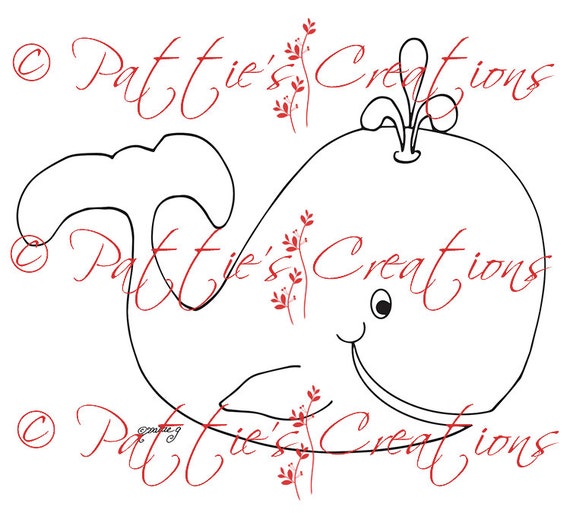
  • William Whale:  A fun image from Pattie. You can find the image (or the female version or the two together) in Pattie's Etsy shop by clicking on the name or watermark linked below.
  • This image has been coloured with a combination of digital colouring and the use of a layer style. Credits include:
    • Sky/Background Clouds (patterns): Webtreats
    • I have applied a water layer style to the water coming out of Will's spout. This style was purchased from Sheila Reid, Pixel Scrapper.
William Whale

Digital Embellishments:
  • The three wave images and the brads are from a new kit of mine coming out next week (details below).
  • I have used a tag shape template for the base of my sentiment. This template was purchased from Marisa Lerin, Pixel Scrapper.

INSIDE

OVERALL 
Digital Sentiment Details:
  • Both the sentiment on the front and the one on the inside were created by Paulette from Create with TLC. For great freebies and inspiration be sure to click HERE to go to Paulette's blog and for awesome sets for purchase, click HERE to go to the home page of the store. It has been coloured digitally to match my project colours.

Digital Embellishments: 
  • The shapes used for matting in behind the image and sentiment are basic shapes created in Photoshop Elements.
  • The shadows to give each element some depth were created with a layer style, are from Sheila Reid, also with Pixel Scrapper. 

Digital Paper Products: 
  • I have used a digital patterned paper for the background of the front and inside. This paper, including the brads and the wave images used on the front, are from the latest kit I have created which is going to be released next week during a special blog hop!  Sorry no more peeksies as to what else is in the set until then.

Challenges I am hoping to enter...

You have until August 4th to enter our challenge which should give you lots of time to get a creation done.  Remember the theme is Make a Splash and WATER must be part of your IMAGE!  I really hope that you will be able to join us. Don't forget that along with all the typical rules that apply to the majority of challenges out there (please click HERE to become familiar with all the rules), you MUST USE A DIGITAL OR STAMPED IMAGE to qualify for the drawing (unless stated otherwise). We would absolutely love to see you use a Pattie's Creations (PC) image on your card, but you are allowed to use other images. If you do use a PC image, you will gain an extra entry in the draw and will have a better chance to WIN! You can enter twice per challenge and of course MUST follow all the challenge requirements that are posted for each challenge. Easy Peasy right!

Pop over to the challenge blog and check out what my fabulous teammates have offered up for inspiration.  Oh and don't forget...Pattie offers up a new freebie the first Friday of the month and it will remain up for approximately two weeks; so, be sure to pop over and check it out as well!

Remember to come and visit later today for your chance to grab some freebies.  Of course it may take until the end of the day to get them all done but hopefully I will manage it!


Until then,

Wednesday, June 29, 2016

Card Design: Gerda Steiner Designs Progressive Challenge...June

http://gerdasteinerdesigns.com

Hello again!  Man, I thought last month was busy trying to catch up from having been sick most of April.  Boy was I wrong, this past month has been even crazier!  I almost didn't get this card done for two reasons, first was an Internet issue explained in the last post and the second is that when I tried to download the image, my computer thought there was a virus attached and wouldn't download it at all.  Thankfully, Gerda was around and able to send me another copy.  The nerve of my computer thinking this cute little penguin could have been a virus!  A spy maybe, but never a virus! ;)

Anyway, below you will find my entry into the Gerda Steiner Designs Progressive Challenge.  First though, check out the cute penguin that we got to work with this month...

Picnic Penguin - Digital Stamp - Clearstamps - Papercrafts - Gerda Steiner Designs

What a cutie patootie!  All set for a summer picnic! Everyone who played along in last month's challenge received Picnic Penguin for free. If you decide to hop on and play along in the Gerda Steiner Designs Progressive Challenge, then you can purchase this digital by clicking HERE (or on the watermark above to head to its location in the store). This way you'll receive next month's digital stamp for free.

Here are my card and details...


General Info: 
  • This card has been created 100% digitally and then layered in a Mock Up (courtesy of Frisk Shop).  I will print it out and assemble it a later date.


FRONT

 Digital Image Details:
  •  Picnic Penguin You can find this image in the store.  Details above.  
  • This image was coloured digitally. Credits include:
    • Credits:  
      • Sky/Background Clouds (patterns):   Webtreats
 
Digital Embellishments:
  • I have used a tag shape template.  This template was purchased from Marisa Lerin, Pixel Scrapper
  • The brad and ribbon are from my Mommy Dearest kit.

INSIDE
Digital Sentiment Details:
  • This sentiment was created by Paulette from Create with TLC.  For great freebies and inspiration be sure to click HERE to go to Paulette's blog and for awesome sets for purchase, click HERE to go to the home page of the store.

OVERALL

Digital Embellishments: 
  • I have used basic shapes in Photoshop Elements to create matting in behind the sentiment on the inside and the floor.  I also used a basic watercolour brush to create some texture for the floor.
  • The tag and mat on the inside were altered using a layer style from Eyeinspire.
  • I have applied shadow layer styles to give certain elements some depth.  These styles were designed by Sheila Reid, Pixel Scrapper.

Challenges I am entering: 

Other challenges I hope to enter... 
***Please note that if the word verification appears, ignore it and simply click the 'publish' button***  


Well guys, that is it for this one and I even managed to get the post done before midnightIf things go according to plan I hope to have a freebie for you on Friday.  It is definitely on my 'to do' list!

Until next time,