Showing posts sorted by date for query snowflake. Sort by relevance Show all posts

Friday, December 04, 2020

Card Design: Pattie's Creations Challenge #177…Winter Fun

http://pattiescreationschallenge.blogspot.ca

Hello there folks! I hope that each of you is continuing to stay healthy in your own little corner of this world as we continue our battle with Covid-19. It has been quite the year, hasn't it?! Let us all hope that we get through the winter ahead with as little loss as possible! It isn't the holiday season we'd have wished for but it is more important to keep our distance and keep people healthy. I wish you all the best in coming up with a safe, healthy and happy way to spend the holidays!

I'm popping in today to announce the next challenge over at Pattie's Creations Design Challenge. This time around for Challenge #177, the theme is Winter Fun. For those of us living in the Northern Hemisphere, it isn't a far stretch to imagine winter which officially arrives Dec. 21st; especially those of us in the north who're already experiencing the biting cold and snow of winter!


General Project Info:
  • This card has been created 100% digitally and then layered in a Mock Up (courtesy of Frisk Shop). It will be printed out and assembled prior to dissemination.


FRONT

Digital Image Details:
  • Pearl The Penguin: You can find this image in Pattie's Etsy shop by clicking on the image name. This image has been coloured digitally and digitally 'paper' pieced in one section as well. Credits include:
 
Digital Sentiment Details: 
 
 
INSIDE 

Digital Sentiment Details: 
  • One I created for the purpose of this card.
 
Digital Embellishments:
  • The snowflakes are from a set created by Pixaroma that I purchased in an expired bundle (Via Deal Jumbo).


OVERALL 
 
Digital Paper Products:
 
 
Digital Embellishments:
  • I have used basic shapes in Photoshop to create the border on the front and the matting in behind the sentiment on the inside.
  • I have applied shadow layer styles to give certain elements some depth. These styles were designed by Sheila Reid, Pixel Scrapper.


Challenges I am hoping to enter...

You have until December 31st to enter our challenge which should give you lots of time to get a creation done. Remember the theme is Winter Fun. I really hope that you will be able to join us. You can enter three times per challenge and of course MUST follow all the challenge requirements that are posted (please click HERE to become familiar with all the rules).

Pop over to the challenge blog and check out what my fabulous teammates have offered up for inspiration. Oh and don't forget…Pattie offers up a new freebie the first Friday of the month and it will remain up for approximately two weeks; so, be sure to pop over and check it out as well!

Well guys, that is it for this one. Have the best December you can!!!
 
Until next time,

Friday, November 01, 2019

Card Design: Pattie's Creations Challenge #164…Anything Goes

http://pattiescreationschallenge.blogspot.ca

Hello there folks! I'm popping in today to announce the next challenge over at Pattie's Creations Design Challenge. This time around for Challenge #165, the theme is Anything Goes. It is the perfect time to come and join us because it doesn't matter what theme your card follows, as long as you abide by all the general rules of the challenge, you can join us!


General Project Info:
  • This card has been created 100% digitally and then layered in a Mock Up (courtesy of Frisk Shop). I will print it out and assemble it a later date. 


FRONT

Digital Image Details:
  • Pearl The Penguin: You can find this image in Pattie's Etsy shop by clicking on the image name. This image has been coloured digitally and digitally 'paper' pieced in one section as well. Credits include:


Digital Embellishments:
  • The doily shape was created from a brush. This brush was designed by Sheila Reid, Pixel Scrapper.
  • The igloo and snowballs used to create the scene around Pearl are from the Winter Playground Kit created by Nathalie MacKay, owner of Kitten Scraps. The snowy look in behind the scene was created using one of the papers from this same kit and the large snowflake embellishment is also from the same kit. 


INSIDE


OVERALL
Digital Paper Products:
  • The paper used as a background and the solid paper used as an accent, on the front and inside, are also from the Winter Playground Kit by Kitten Scraps.


 Digital Sentiment Details: 
  • The sentiments used on both the front and inside were created by Paulette from Create with TLC. For great freebies and inspiration be sure to click HERE to go to Paulette's blog and for awesome sets for purchase, click HERE to go to the home page of the store. 


Digital Embellishment Details:
  • I have used basic shapes in Photoshop Elements to create matting in behind the image (front) and sentiment (inside).
  • I have applied shadow layer styles to give certain elements some depth. These styles were designed by Sheila Reid, Pixel Scrapper.


Challenges I am hoping to enter...

You have until December 5th to enter our challenge which should give you lots of time to get a creation done. Remember the theme is Anything Goes. I really hope that you will be able to join us. You can enter three times per challenge and of course MUST follow all the challenge requirements that are posted (please click HERE to become familiar with all the rules).

Pop over to the challenge blog and check out what my fabulous teammates have offered up for inspiration. Oh and don't forget…Pattie offers up a new freebie the first Friday of the month and it will remain up for approximately two weeks; so, be sure to pop over and check it out as well!

Don't Forget…

Before I send you on your way, I wanted to remind you that Pattie is retiring over 30 images from the store. So, if you haven't already, be sure to check them out before they are gone forever. Click on the badge below to head over to that section in the Pattie's Creations store! Each retiring image is available for only $1 USD!!! So it is a great time to stock up.

https://www.etsy.com/shop/pattiescreations?section_id=27023252


Well guys, that is it for this one. Have a wonderful November and I'll see you again soon.

Until next time,


Friday, December 02, 2016

Free Snowflakes Digi Paper Digi Paper available at Scribbles Designs


Hello everyone! I'm just popping in to let you know that the latest freebie is available over on the Scribbles Designs Challenge Blog for all of our Freebie Fridayer fans!

While winter doesn't officially start until the 21st of December, it is already cold here where I live and we've had snow on the ground since last Thursday!  With all those snowflakes out there, I was inspired to create a digi paper to honour the winter season that will soon be upon us. Sandy originally offered up the snowflake image as a freebie in October 2015. You can find both the original image AND the paper you see below in the preview, by clicking HERE. The original image can also be found in the store HERE.

Here is a preview of the paper...

Another creation under the Scribble Doodle Designs label! This free paper is six inches by six inches (1800 pixels x 1800 pixels)--the perfect size for card making! It is in jpg format and published at 300 dpi. Credits include: Jessica Johnson, Creators Couture; and of course, Scribbles Designs. As mentioned above, you can download it over on the challenge blog as today's Freebie Friday offering.


Don't forget to mark you calendars every Friday to head on over to the Scribbles Designs Challenge Blog to grab the latest freebie up for grabs. You can find the original image and the digi paper from December 2nd's post HERE. It is a great way to add to your SD digi stamp collection and to your Scribble Doodles Designs collection. Don't forget, that when you use an SD image on a project that you enter into our monthly challenges, you get extra entries! That is a great incentive to use one of Sandy's images.

Have a wonderful weekend and take care until we meet again!

Wednesday, January 27, 2016

Wonderful Wednesdays--Offering for January

If you are new to my blog and want to know how this concept got started, you can find the original post by clicking HERE. 

Okay so first off, since yesterday, I've lost four--count 'em four--more followers.  Pair that with the other two I lost recently and that is a total of six members gone in a very short period of time.  I'm rather saddened by the whole thing but am VERY thankful for those of you who do continue to stick around.

I'm not as active as I used to be on my personal blog but I'm still trying to bring you as much inspiration and as many goodies as I can which is why I am popping in tonight with this post.  It is time for another year of Wonderful Wednesdays to start up.  

If you are new to my blog in the past year, you can find other items for the January kit by clicking the respective links below:

2013 
  • Blue snowflake paper:  Click HERE.
  • Blue snowflake edging:  Click HERE.
  • 'wish for snow' word overlays + a circle date stamp in blue:  Click HERE.
Please note that the quality of my creations offered up in the beginning months of 2013 may not be up to standard as I was just starting out in design.

2014
 
  • Matching pink snowflake paper + four frosted papers:  Click HERE.
  • Snowflake brads (gold):  Click HERE.
  • Matching snowflake edging in five more colours + a linear date stamp in blue:: HERE.

 2015 
  • Matching patterned paper + textured paper:  Click HERE.

For 2016, I am offering up some glitter snowflake shapes for the Snow Much Fun January kit...
 
https://app.box.com/s/3991ufzq89ina8idaeox9o2esbycde08

These snowflake creations are approximately 634 pixels x 649 pixels, in png format and published at 300 dpi.  Credits include:  Sheila Reid and Marisa Lerin (Pixel Scrapper).  To grab today's offering, click the download button to be taken to a download location.  In the zip folder you will find a copy of the creations, the preview sheet, the full credit information and my terms of use which are standard to all my folders.

Stay tuned for a new Wonderful Wednesday post coming next year!  

Until next time,

Friday, January 08, 2016

Card Design: Pattie's Creations Challenge #118...Fun in the Snow (MUST have SNOW in the IMAGE)

http://pattiescreationschallenge.blogspot.ca

Hello to all you lovely people out there!  I'm here today to announce the next challenge over at Pattie's Creations Design Challenge.  This time around for Challenge #118, the theme is Fun in the Snow. In many parts of North America and other parts of the world, the ground is covered in snow.  In celebration of the winter season, this month we want to see snow somewhere in the actual digital image of your card.  Adding snow papers or extra snowflakes is fine, but in order to qualify for the prize, the image itself must have snow in it.  

Here is my card, I hope that I haven't forgotten any important details:

General Info:
 
  • Okay so I know that Christmas has JUST passed but it is NEVER too early to get a start on next year's Christmas cards so I am doing just that!
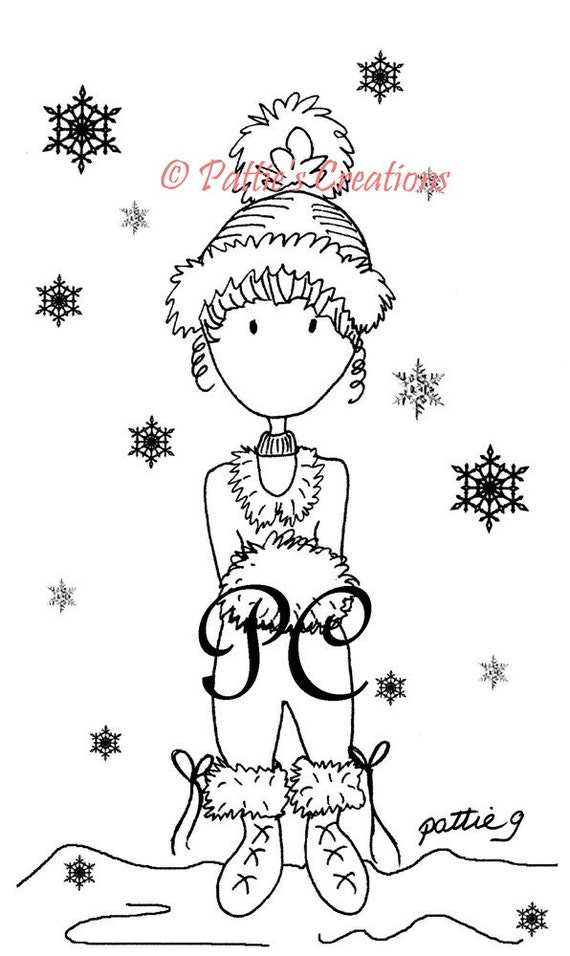
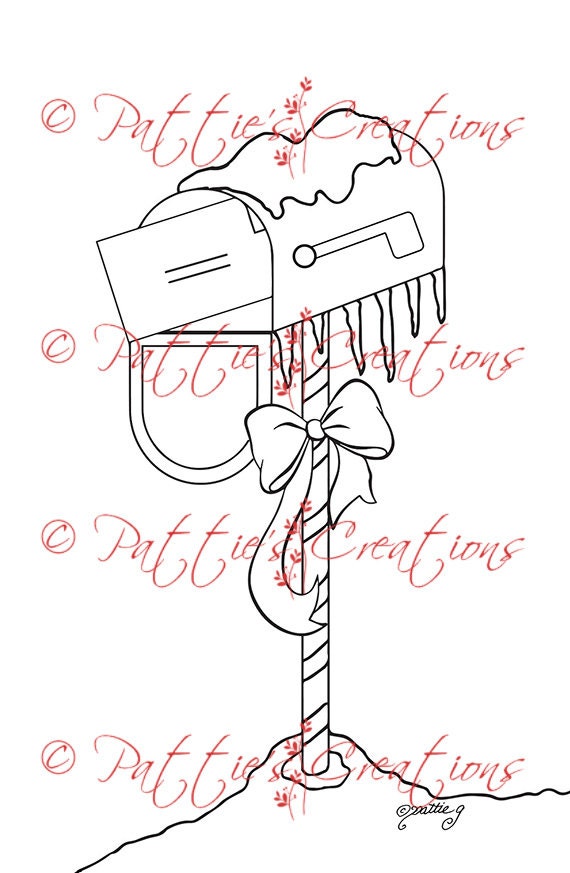
  • For the front of my card, I took two of Pattie's fun winter images and merged them together to make a scene.  I just thought they went so well together.  Even the snow mound under the mailbox lined up with the snow mound next to Pattieboop! Then I just duplicated some of the snowflake from one of the images and added them to have a complete snowy scene.

FRONT

Digital Image Details: 
  • Pattieboop Winter Snowflakes:  Such a composed young lady. You can find the image in Pattie's Etsy shop by clicking on the name or watermark linked below.
Pattieboop Winter Snowflakes

  • Christmas Mailbox:  Such a great versatile image. It can also be found in Pattie's Etsy shop by clicking on the name or watermark linked below.
Christmas Mailbox

  • These images were coloured in digitally using a variety of techniques including layer styles and paper piecing.  Credits include:
    • Layer style used on fluffy bits of Pattieboop's outfit (also on border used behind image):  Eyeinspire 
    • Layer style used on snowflakes and front sentiment:  Marisa Lerin, Pixel Scrapper
    • Layer style used on snow: Sheila Reid, Pixel Scrapper
    • Metal patterns used on Mailbox and poll:
    • Paper piecing on envelope:  Cruzines Designs (through Deal Jumbo)
    • Paper piecing on hat and sweater: one of my own
    • Pattern used for clouds/sky background:  Lebouef  

Digital Sentiment Details:
  • The 'Happy Holidays' sentiment I used is from the "Happy Holiday Season" Vintage Image Transfer and Word Art Set created by Paulette from Create with TLC.  Click HERE or on the watermark below to head to its location in the store.

Digital Embellishments: 
  • The border is made with a template created by Marisa Lerin, Pixel Scrapper.
  • The buttons and string are assets created by Sheila Reid, Pixel Scrapper.


INSIDE

 Digital Image Details: 
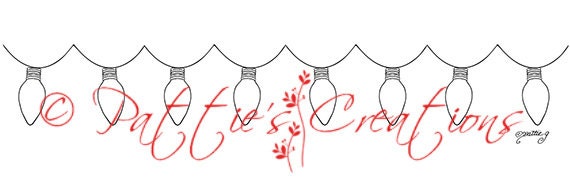
  • Christmas Lights:  This string of lights was the perfect set up for the sentiment.  It can also be found in Pattie's Etsy shop by clicking on the name or watermark linked below.
  • The image was coloured digitally. 
Christmas Lights

Digital Sentiment Details: 
  • One I created for this card.

OVERALL
Digital Paper Products:
  • The paper used as my background is from my mini Snowfest kit.  
   
Digital Embellishment Details:
  • The shape used for matting in behind the image and sentiment were created with basic shapes in Photoshop Elements.
  • The shadows to give each element some depth were created with layer styles from Sheila Reid, Pixel Scrapper. 

Challenges I am hoping to enter...


You have until February 4th to enter our challenge which should give you lots of time to get a creation done.  Remember the theme is Fun in the Snow but you MUST have SNOW in the IMAGE you use.  I really hope that you will be able to join us. Don't forget that along with all the typical rules that apply to the majority of challenges out there (please click HERE to become familiar with all the rules), you MUST USE A DIGITAL OR STAMPED IMAGE to qualify for the drawing (unless stated otherwise). We would absolutely love to see you use a Pattie's Creations (PC) image on your card, but you are allowed to use other images. If you do use a PC image, you will gain an extra entry in the draw and will have a better chance to WIN! You can enter twice per challenge and of course MUST follow all the challenge requirements that are posted for each challenge. Easy Peasy right!

Pop over to the challenge blog and check out what my fabulous teammates have offered up for inspiration.  Oh and don't forget...Pattie offers up a new freebie the first Friday of the month and it will remain up for approximately two weeks; so, be sure to pop over and check it out as well!

Until next time,


Tuesday, December 01, 2015

Card Design: Scribbles Designs Challenge #35 Midway Point...Christmas: Non Traditional Colours


Happy December 1st!!!  Just one more month left in the year.  I still have things I haven't done that I was supposed to LAST December, never mind this one!  But time stops for no one right?!  Well, since it is the start of a new month that also means that it is time for the midway for the latest Scribbles Designs Challenge to get started.  

There are two whole weeks left for you to come on over and enter.   In case you've missed it, the theme this time around for Challenge #35, is Christmas: Non Traditional Colours!  While Christmas is knows for its bright reds, brilliant greens and sparkling golds and silvers, there are many other wonderful colours that can represent Christmas just as beautifully. This month we'd like to see a Christmas themed creation using non traditional colours. It is time to bring out the blues, pinks, purples or other non-traditional colour palettes and give your Christmas project a different kind of hue.  

Entering is super simple!  You do not need to use a Scribbles Designs image; however, if you do, your name gets entered into the draw twice.  You can purchase your Scribbles Designs images HERE or you can also find one for a limited time on the challenge blog HERE.  Also, be sure to check out our special Freebie Friday posts as it is another great way to build your Scribbles Designs collection.  You can find the rest of the rules and information regarding winners in the sidebar on the challenge blog.  You have until 9pm PST on December 14th to come over and play with us.

Here is my card and all the details... 
 
General Information:
 

    • I really like longer and skinnier cards so this one is 7 in. by 3 in.  The snowflake image I used was perfect for this kind of layout idea.  I have something similar coming out on Friday as well.
    • Once again I have used one of Sandy's freebies.  There are soooo many to choose from.  Don't forget that when you use a SD image to enter the challenge, your odds are better of winning! 
    • This card was created digitally and then printed and assembled.

    FRONT
    Digital Image Details: 
    • #F 76 Snowflake (Free): Love this funky snowflake!  Since I have used a free image there is no watermark available so simply click on the name to find this image in the SD store.
    • I coloured the image in with a Photoshop layer style and triplicated it.  I used Instaglam resources purchased as part of a bundle.  The original designer's name is Jessica Johnson and you can purchase it HERE.


    INSIDE
    Digital Sentiment Details: 
    • For the inside, I have used two different sentiments, both created by Paulette from Create with TLC.  The smaller Happy Holidays one, can be purchased in the "Happy Holiday Season" Vintage Image Transfer and Word Art Set.  I've linked the watermark below to go to its location in the store.  The larger one was a freebie I picked up a while back.  For great freebies and inspiration be sure to click HERE to go to Paulette's blog and for more awesome sets for purchase, click HERE to go to the home page of the store.
    "Happy Holiday Season" Vintage Image Transfer and Word Art Set

    OVERALL 
    Paper Products:
     
    • Card base:  Michael's Recollection's cardstock, white.

    Digital Paper Products: 
    • The blue glitter digital paper is from my Glitteratti 1 mini Patterned Papers set.

    Digital Embellishment Details:
    • The shape used for matting in behind the image and sentiment were created with basic shapes in Photoshop Elements.
    • The shadows to give each element some depth were created with layer styles from Sheila Reid, Pixel Scrapper. 

    Challenges I am hoping to enter... 

    http://scribblesdesignschallenge.blogspot.ca/
    So put on those thinking caps and design a project that fits our theme. If you need some images to help you out you can check out all wonderful ones that are in the Scribbles store. You have an entire month to enter at the Scribbles Designs Challenge Blog, so I hope to see you there. If you have some time I invite you to go and check out the wonderful inspiration offered up from my colleagues on the DT. We always look forward to seeing what you come up with for each month's theme!

     Until next time,